Software / Automation

Shutdown Organizer

Shutdown Organizer shuts down Windows computers at a set time, restarts them, puts them on standby or signs users out.

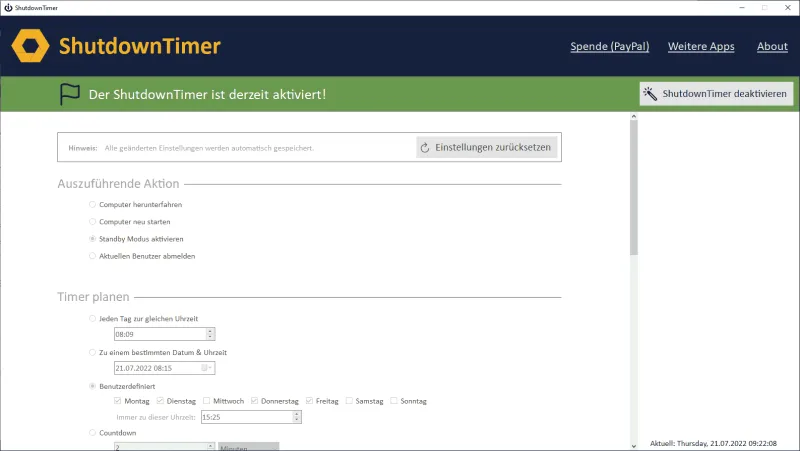
Screenshot Shutdown Organizer

What Shutdown Organizer can do

  • Shut down on a stored schedule: daily, on a date, custom or by countdown.
  • Desktop notification as soon as Shutdown Organizer is active.
  • Your own commands, run at startup or on exit.
  • Shut down, restart, standby or sign out. The tool can start with Windows if you like.

Scheduled and flexible

Set a time or date at which the PC shuts down automatically: every day at the same time, on a fixed date, custom, or as a countdown in minutes or hours.

You can also store commands that run when the tool starts or exits. If you like, Shutdown Organizer starts automatically with Windows.

  • Free
  • Click-to-run (portable)
  • Scheduled
  • Many options

Download for free

No installation required. Just unzip and run.

Version 2.5Windows · portableFreeDate 08/2022532 KBAll downloads
Download (ZIP)

Technical support for Shutdown Organizer and all other products through our ticket system: [email protected]. We do not provide technical support by phone.